This add-on is not affiliated with XenForo Ltd.
A help desk system for XenForo 2. It handles support over email, guest and member tickets, staff collaboration, automation, and includes a knowledge base within your existing site.
Guests can open tickets without creating an account, receive reply notifications by email, and access their tickets through password-protected sessions. Authenticated guests can also view a list of their tickets.
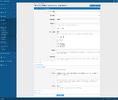
Matching workflows can change status, priority, category, assignment, prefixes, and tags; lock, approve, or delete tickets; post replies or internal messages; send alerts or emails; and create discussion threads.
Each workflow runs on activity, once per ticket, or continuously while a ticket matches. You can preview affected tickets before enabling a workflow, and add custom criteria through code.
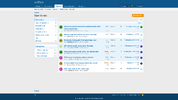
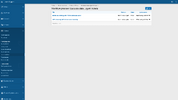
Tickets can be assigned to staff and filtered by assignee or state. The main queue is itself an editable view, and any active view can be selected as the default.
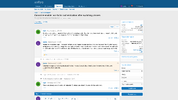
Staff can post internal messages visible only to the team, while an inline activity log records status changes, reassignments, edits, and other activity alongside the conversation.
Business hours and holidays can be configured to let customers know when replies may be delayed.
Automation and workflows
Queue and views
Tickets
Notifications
Knowledge base
Integration
A help desk system for XenForo 2. It handles support over email, guest and member tickets, staff collaboration, automation, and includes a knowledge base within your existing site.
Taking requests
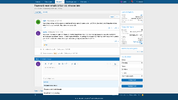
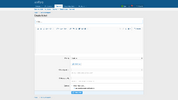
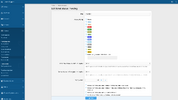
Members open tickets in categories you define, with per-category permissions controlling who can view and reply. Route inbound mail to a category, allowing messages sent to an address to become tickets.Guests can open tickets without creating an account, receive reply notifications by email, and access their tickets through password-protected sessions. Authenticated guests can also view a list of their tickets.
Workflows
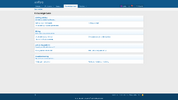
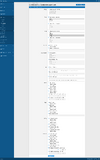
Workflows act on tickets matching criteria such as status, priority, assignee, age, and category.Matching workflows can change status, priority, category, assignment, prefixes, and tags; lock, approve, or delete tickets; post replies or internal messages; send alerts or emails; and create discussion threads.
Each workflow runs on activity, once per ticket, or continuously while a ticket matches. You can preview affected tickets before enabling a workflow, and add custom criteria through code.
Views
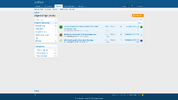
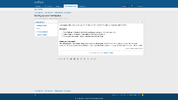
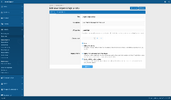
Views let you filter, sort, and name ticket lists, each with its own URL and count. Built-in views cover open tickets, tickets assigned to you or other staff, deleted tickets, and all tickets.Tickets can be assigned to staff and filtered by assignee or state. The main queue is itself an editable view, and any active view can be selected as the default.
Staff can post internal messages visible only to the team, while an inline activity log records status changes, reassignments, edits, and other activity alongside the conversation.
Notifications
Open tickets poll for new replies and activity, updating without a page refresh. Members receive alerts and emails as their tickets change, and can watch categories, tickets, or specific users.Business hours and holidays can be configured to let customers know when replies may be delayed.
Knowledge base
Convert a forum thread into a public knowledge-base article, or copy a ticket message into a new article.Integration and API
The add-on uses native XenForo permissions, alerts, search, moderation, and webhooks. Ticket and message webhooks are available on XenForo 2.3 and later.Features
Intake- Member tickets in configurable categories with per-category view and reply permissions
- Email channels that route inbound mail to a category
- Guest tickets without requiring an account, with email reply notifications
- Password-protected guest access, including a list of the guest's tickets
- Inbound email character-set decoding
- Filtering for auto-replies, bounces, and mailing-list messages
- Replies to deleted tickets ignored
- Oversized inbound messages skipped
- Member accounts only associated with inbound email from verified addresses
Automation and workflows
- Match tickets by status, priority, assignee, age, category, and other criteria
- Change status, priority, category, assignment, prefixes, and tags
- Lock, approve, or delete matching tickets
- Post replies or internal messages
- Send alerts or emails
- Create on-demand discussion threads
- Run on activity, once per ticket, or continuously while matching
- Preview matched tickets before enabling a workflow
- Extend workflows with custom criteria in code
Queue and views
- Custom views with filtering, sorting, custom URLs, descriptions, and live counts
- Built-in views for open, assigned, deleted, and all tickets
- Ticket assignment and filtering by assignee or state
- Editable main queue, with any active view selectable as the default
- Internal staff-only messages controlled by per-category permissions
- Inline activity log of status changes, reassignments, edits, and other events
Tickets
- Custom fields, priorities, statuses, and prefixes
- Tags, attachments, and warnings
- Predefined responses with automatically filled ticket and starter details
- Inline moderation on ticket lists and admin batch updates
- Read tracking for guests and members
- Tickets and messages included in the XenForo search index
- On-demand discussion threads enabled per category
- Ticket merging that preserves participants and read records
Notifications
- Live polling for new replies and activity without a page refresh
- Alerts and emails for ticket activity
- Watch categories, tickets, or specific users
- Configurable business hours and holidays
Knowledge base
- Convert forum threads into public knowledge-base articles
- Copy ticket messages into new knowledge-base articles
- Knowledge-base categories, permissions, attachments, and advertising positions
Integration
- Built on native XenForo permissions, alerts, search, and moderation
- REST API for tickets, replies, and ticket categories
- Webhooks for tickets and messages on XenForo 2.3 and later